

Blog / How to Set Up a Dental Operatory in 2026
How to Set Up a Dental Operatory in 2026
-
Ezra Angelo
- • April 1, 2026

Day-one reality
Every operatory in your practice is a technology environment. The chair is the obvious part. Everything connected to it is where most practices run into problems.
Here is what needs to be in each room and what your IT provider must configure before you see your first patient.
⚠️ The most common day-one problem in new dental practices is operatory technology that was installed but never properly integrated.
Imaging systems that will not talk to the practice management software, monitors showing the wrong patient, networks that cannot handle the load. All preventable with the right IT setup before opening day.
What Every Operatory Needs
Item 01
Dedicated workstation on your practice network
Not a standalone device. Your IT provider sets up unique staff credentials and automatic screen lock on each one so patient data is protected and every access is tracked.

Item 02
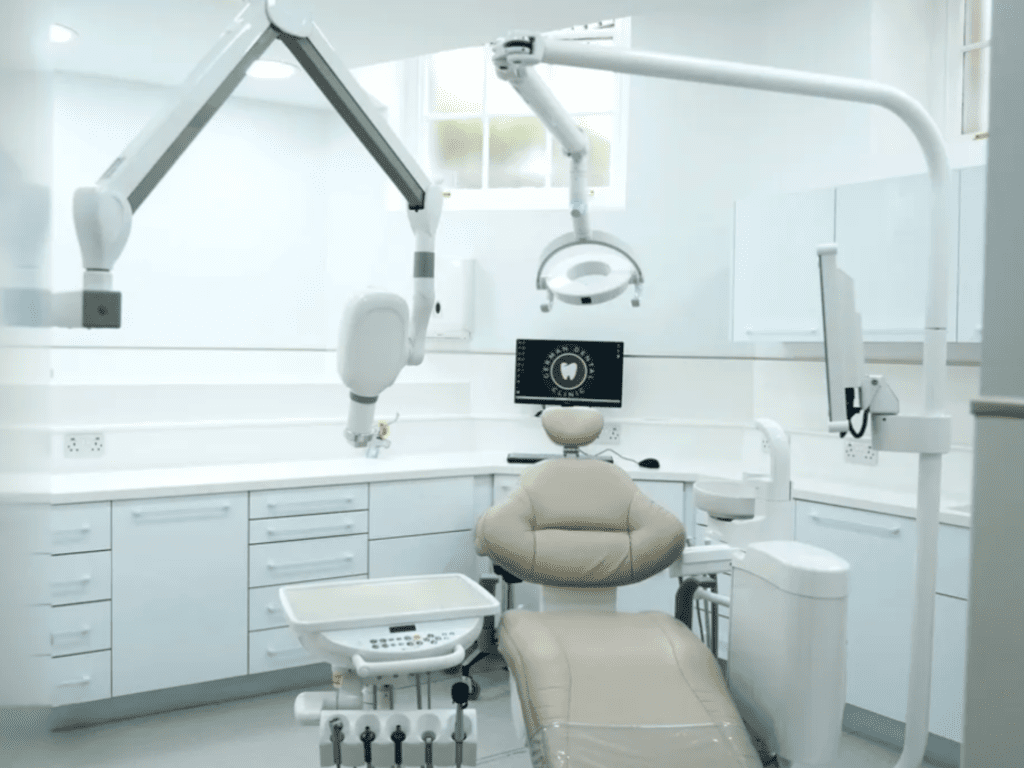
Two monitors, correctly positioned
One at 12 o’clock for the provider (charting, imaging), one patient-facing between 4 and 8 o’clock for showing X-rays and treatment content. A patient-facing monitor showing the wrong records is a HIPAA incident.
Item 03
Intraoral camera with full software integration
Drivers installed and integrated into your imaging software. Without this, images do not save to the correct patient chart. Integration must be tested and confirmed before you see your first patient.

Item 04
Digital X-ray sensors, end-to-end integration
Sensor to imaging software to practice management system. Your IT provider tests this entire chain before you go live to confirm X-rays route to the right patient automatically.

Item 05
Hardwired ethernet, not Wi-Fi
Imaging files are large. Wireless drops cause lag. Every operatory needs a wired network connection. This is non-negotiable for consistent imaging performance.
How We Help
Ekim IT Solutions coordinates directly with your contractor so network drops are in the right locations before walls close.
01
Wired ethernet to every operatory, front desk, and imaging room planned and spec’d before construction begins.
02
All devices integrated and tested before opening day so imaging, PMS, and monitors all talk to each other correctly.
03
Wi-Fi configured separately for staff and patient networks so clinical traffic stays isolated from guest access.
Setting up a new dental practice? We coordinate with your contractor, spec your network drops, and have every operatory ready before opening day.
Schedule a Fit Call → What Your IT Provider Configures Before You Open
Practice management software installed on each workstation with the correct user permissions so staff only see what they are authorized to access.
Imaging software bridged to the PMS so X-rays save to the right patient automatically without manual file handling or naming.
Patient-facing monitors locked to approved content only so they cannot display the wrong patient’s records or be used for unauthorized purposes.
Automatic workstation lock configured so screens do not stay open when staff step away. Required under HIPAA technical safeguards.
Network speed tested at each operatory to confirm no lag during peak hours when all chairs are active simultaneously.
The Mistake That Delays Opening Day
Network drops need to be in the wall before it closes.
If your contractor finishes before your IT provider specifies cable locations, you are facing expensive remediation or a compromised layout. Get your IT provider involved before construction begins, not after the walls are up. This is the single most common reason new dental practice openings get delayed.
Frequently Asked Questions
Yes. Sharing a computer between rooms creates HIPAA access control problems and slows charting. Each operatory needs a dedicated workstation.
No. Imaging software transfers large files constantly. Wi-Fi drops cause lag that gets blamed on the software. Wired ethernet in every operatory is non-negotiable.
Your dental IT provider. The software vendor does not set this up for you. Your IT provider installs, configures, and tests the full integration before you go live.
Setting up a dental operatory? Get the IT right from day one.
Ekim IT Solutions specializes in dental practice buildouts across New England and New York, with remote support available nationwide. We plan and install the cabling, networking, and workstation setup your operatories need before your first patient walks in.
Bad IT wiring on opening day is not a small problem. Let us make sure it is not yours.
Get your IT planned right → -
- • April 1, 2026


